¶ Notifications
- Overview
- Team settings
- Watchers notification
- On assign notifications
- On change notifications
- Comment notifications
- Attachment notifications
- Worklog notifications
- Checklist notifications
- Reminder notifications
- Customer notifications
- Digest notifications
¶ Overview
In this section, you can configure scheduling notifications.
Navigate to Config → Scheduling → Notifications:

¶ Team settings
Settings related to team-based notifications. Enable notifications for tasks assigned to teams.
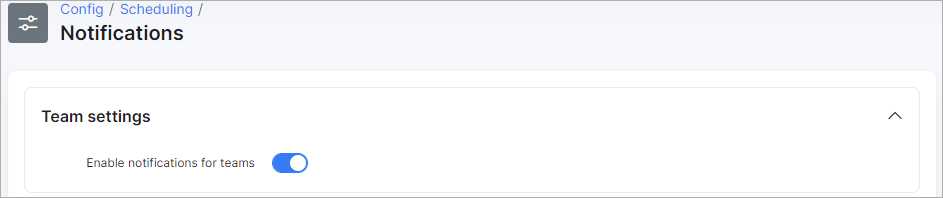
- Enable notifications for teams - enables/disables teams notifications (if tasks are assigned to teams).
¶ Watchers notification
Controls whether the admin who creates a task is automatically added to the task's watchers list.

- Add reporter to watchers - enables/disables adding the reporter (admin that creates the task) to watchers.
¶ On assign notifications
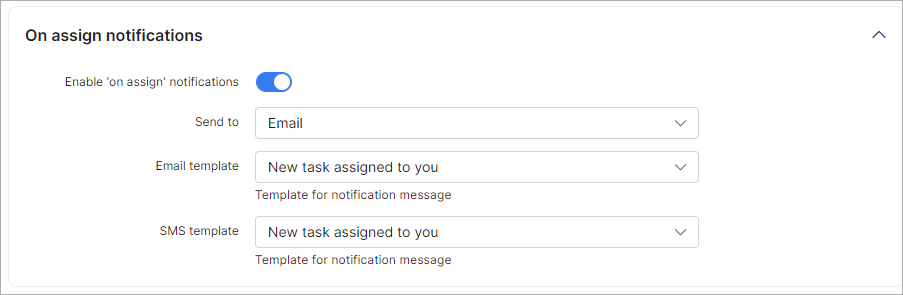
Configure notifications sent when a task is assigned or reassigned. Set the delivery method (email, SMS, or both) and select templates for each.
-
Enable "on assign" notifications - enables/disables notifications when tasks are assigned/reassigned;
-
Send to - select how notification will be sent, via email, SMS or email + SMS;
-
Email template - select the template to use for the for email notification;
-
SMS template - select the template to use for the SMS notification.
¶ On change notifications
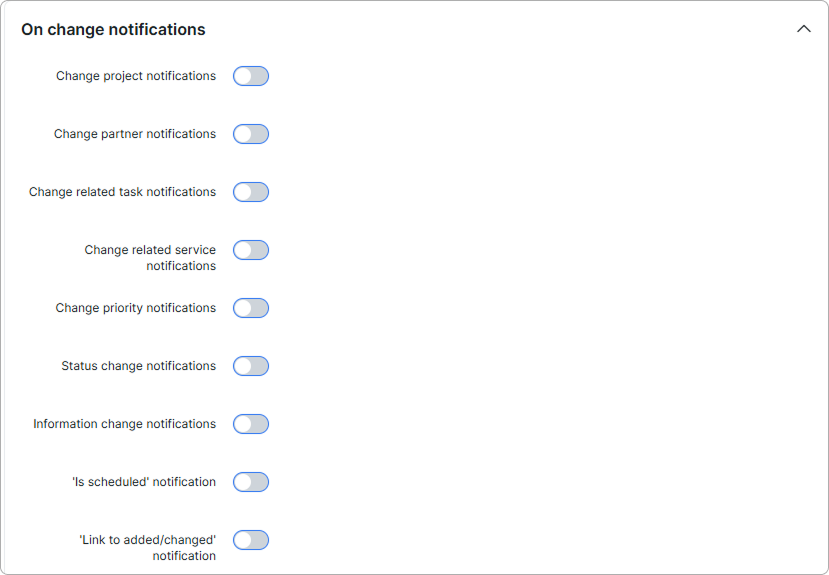
Configure notifications triggered by changes to a scheduling task. Each type of change has its own toggle:
-
Change project notifications - enables/disables sending of notifications when a project has been changed;
-
Change partner notifications - enables/disables sending of notifications when the project partner has been changed;
-
Change related task notifications - enables/disables sending of notifications when related tasks has been changed;
-
Change related service notifications - enables/disables sending of notifications when related service has been changed;
-
Change priority notifications - enables/disables sending of notifications when the priority has been changed;
-
Status change notifications - enables/disables sending of notifications when the status has been changed;
-
Information change notifications - enables/disables sending of notifications when information has been changed;
-
"Is scheduled" notification - enables/disables sending of notifications when a task is scheduled;
-
'Link to added/changed' notification - enables/disables sending of notifications when a linked customer, lead, or network site is added or changed on a task;
-
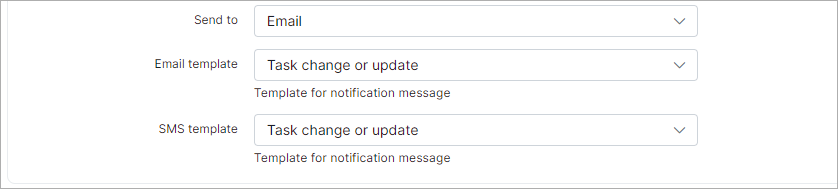
Send to - select how notifications will be sent, via email, SMS or email + SMS;
-
Email template - select the template for the email notification;
-
SMS template - select the template for the SMS notification.
¶ Comment notifications
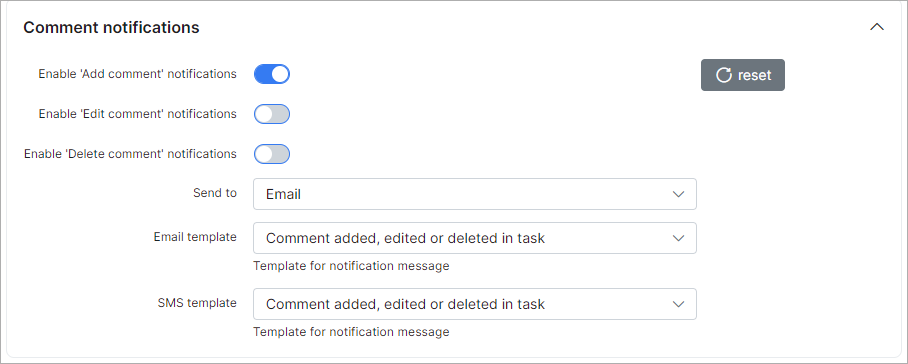
Configure notifications for comment activity on tasks: when a comment is added, edited, or deleted. Set delivery method and templates.
-
Enable 'Add comment' notifications - enables/disables sending of notifications when comments are added;
-
Enable 'Edit comment' notifications - enables/disables sending of notifications when comments are edited;
-
Enable 'Delete comment' notifications - enables/disables sending of notifications when a comment is removed;
-
Send to - select how notifications will be sent, via email, SMS or email + SMS;
-
Email template - select the template for the email notification;
-
SMS template - select the template for the SMS notification.
¶ Attachment notifications
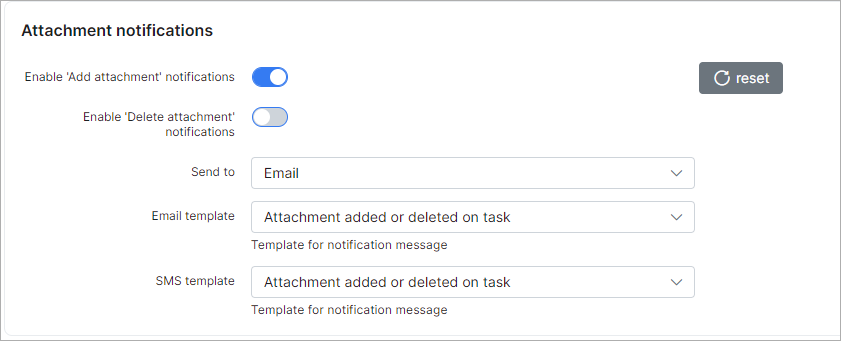
Configure notifications for attachment activity on tasks: when a file is added or deleted. Set delivery method and templates.
-
Enable 'Add attachment' notifications - enables/disables sending of notifications when attachments are added;
-
Enable 'Delete attachment' notifications - enables/disables sending of notifications when an attachment is removed;
-
Send to - select how notifications will be sent, via email, SMS or email + SMS;
-
Email template - select the template for the email notification;
-
SMS template - select the template for the SMS notification.
¶ Worklog notifications
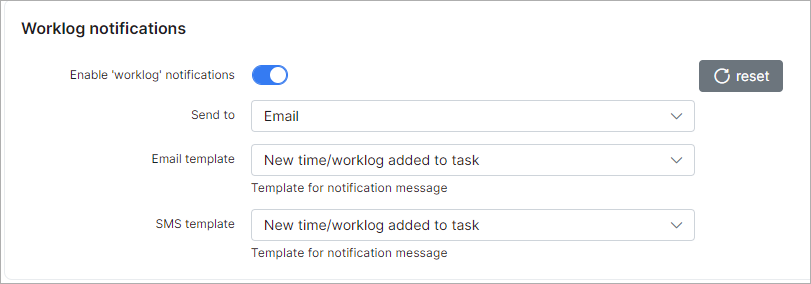
Configure notifications for work log entries on tasks. Set delivery method and templates.
-
Enable 'worklog' notifications - enables/disables sending of worklog notifications;
-
Send to - select how notifications will be sent, via email, SMS or email + SMS;
-
Email template - select the template for the email notification;
-
SMS template - select the template for the SMS notification.
¶ Checklist notifications
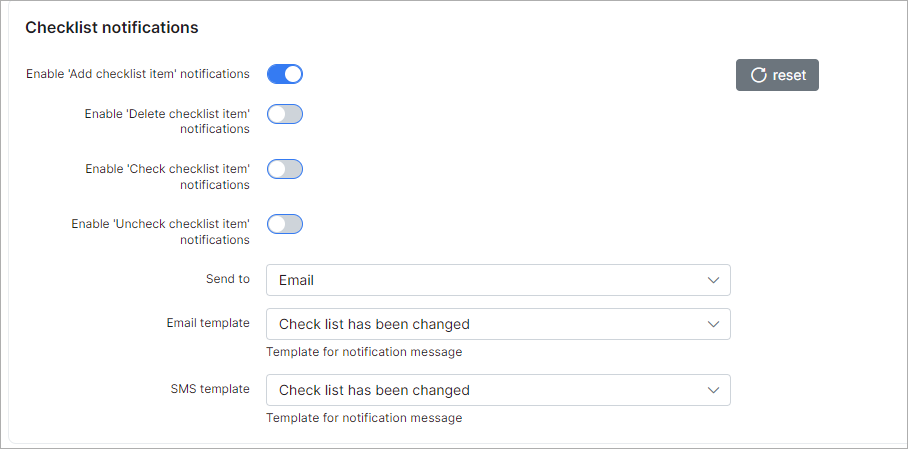
Configure notifications for checklist activity: when items are added, removed, checked, or unchecked. Set delivery method and templates.
-
Enable 'Add checklist item' notifications - enables/disables sending of notifications when an item is added to the checklist;
-
Enable 'Delete checklist item' notifications - enables/disables sending of notifications when an item has been removed from the checklist;
-
Enable 'Check checklist item' notifications - enables/disables sending of notifications when an item has been marked in the checklist;
-
Enable 'Uncheck checklist item' notifications - enables/disables sending of notifications when an item has been unmarked in the checklist;
-
Send to - select how notifications will be sent, via email, SMS or email + SMS;
-
Email template - select the template for the email notification;
-
SMS template - select the template for the SMS notification.
¶ Reminder notifications
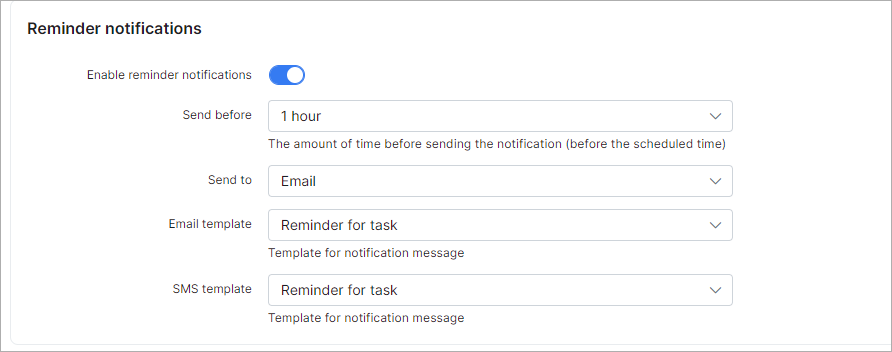
Configure reminder notifications sent before a task's scheduled time. Set how far in advance to send the reminder, delivery method, and templates.
-
Enable reminder notifications - enables/disables sending of reminder notifications;
-
Send before - set the amount of time before sending the notifications (before the scheduled time);
-
Send to - select how notifications will be sent, via email, SMS or email + SMS;
-
Email template - select the template for the email notification;
-
SMS template - select the template for the SMS notification.
¶ Customer notifications
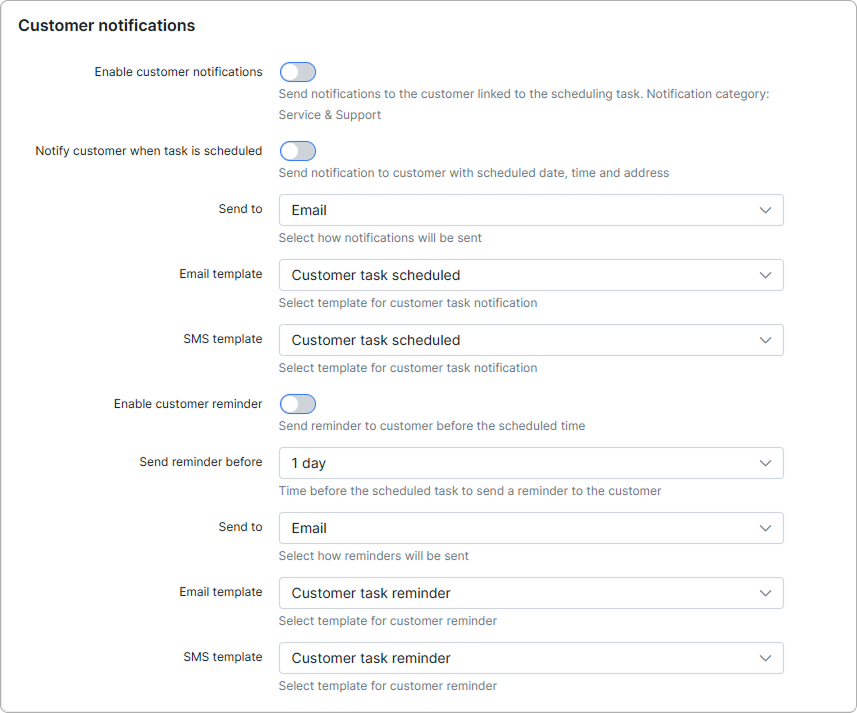
Configure notifications and reminders sent to the customer linked to a scheduling task. Notifications use the Service & Support category — only customers who have this category enabled for the chosen channel will receive them.
-
Enable customer notifications - enables/disables sending of any notifications to the customer linked to the scheduling task;
-
Notify customer when task is scheduled - enables/disables sending of a notification to the customer with the scheduled date, time, and address;
-
Send to - select how the scheduling notification will be sent, via email, SMS or email + SMS;
-
Email template - select the template for the email notification sent when a task is scheduled;
-
SMS template - select the template for the SMS notification sent when a task is scheduled;
-
Enable customer reminder - enables/disables sending of a reminder to the customer before the scheduled time;
-
Send reminder before - set the amount of time before the scheduled task to send a reminder to the customer;
-
Send to - select how the reminder will be sent, via email, SMS or email + SMS;
-
Email template - select the template for the email reminder;
-
SMS template - select the template for the SMS reminder.
¶ Digest notifications
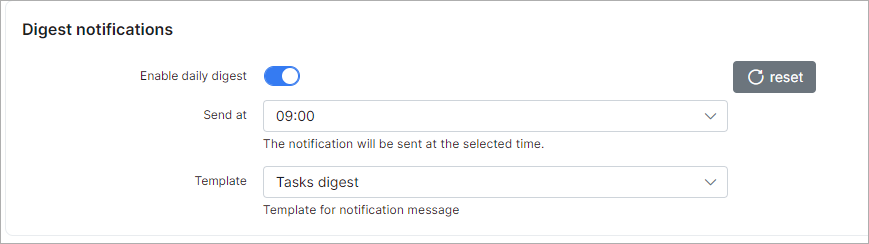
Configure a daily digest notification summarising tasks. Set the delivery time and template.
-
Enable daily digest - enables/disables sending of daily notifications about tasks;
-
Send at - set at what time to send notifications;
-
Template - select the template for the notification.
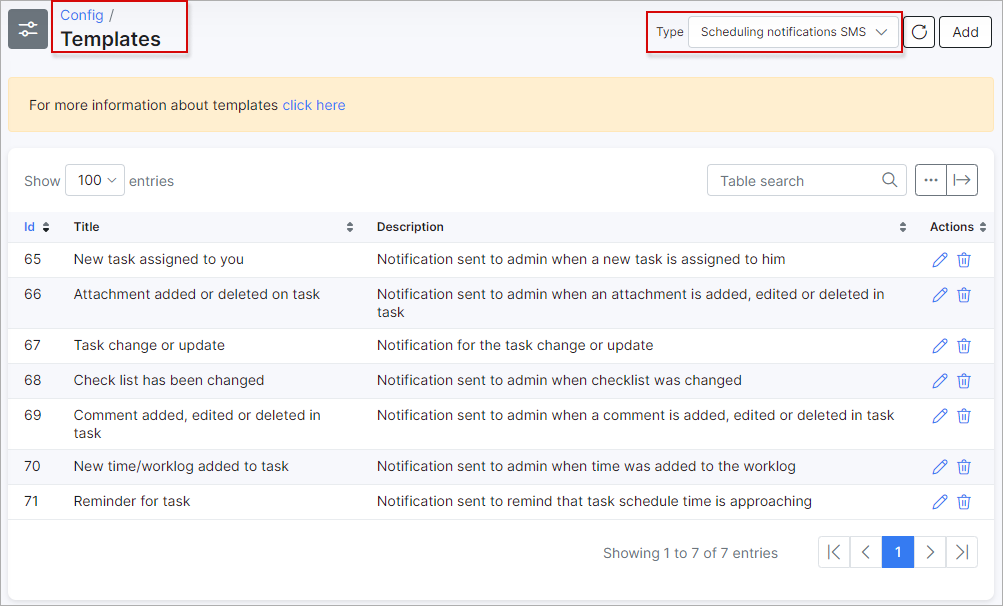
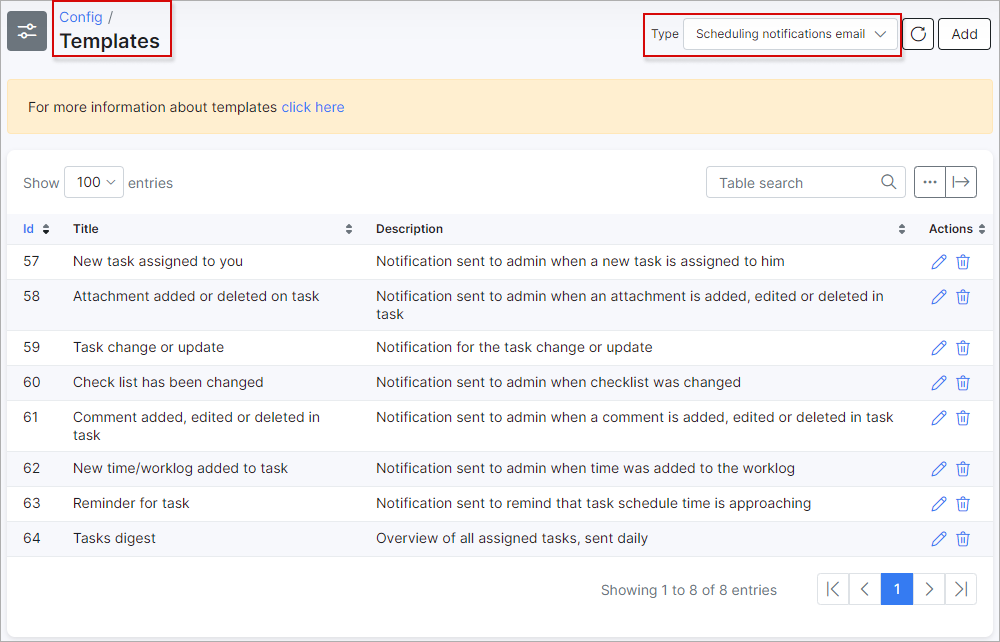
 All templates can be found under Config → System → Templates
Email templates for scheduling:
SMS templates for scheduling: