¶ Connect Splynx to ChatGPT via MCP
Splynx becomes a plugin connector on chatgpt.com: ChatGPT authorizes over OAuth and calls API v2 within the permissions of your admin role. This is the path that works in an ordinary conversation.
¶ Before you start
- Splynx reachable from the internet over HTTPS. ChatGPT calls your server from its own infrastructure, and a non-loopback
redirect_uriis accepted only with thehttpsscheme. - MCP endpoint:
https://<domain>/mcp. - A Splynx admin account. The token grants exactly the API endpoints that admin's role allows — there are no separate scopes.
- A ChatGPT plan with custom connectors, and Developer mode turned on (step 1).
On the desktop app instead? Different form, different pitfalls — see the separate guide Connect Splynx to Codex via MCP.
Two paths, two authorizations. Each integration registers its own OAuth client in Splynx: the web connector as
ChatGPTwith a redirect tochatgpt.com, the desktop app asCodexwith a127.0.0.1loopback redirect. Clients, consents and tokens are separate, so connecting one path grants nothing to the other — and revoking one leaves the other untouched.
¶ Connecting
¶ 1. Turn on developer mode
Settings → Security and login → Developer mode → toggle on.
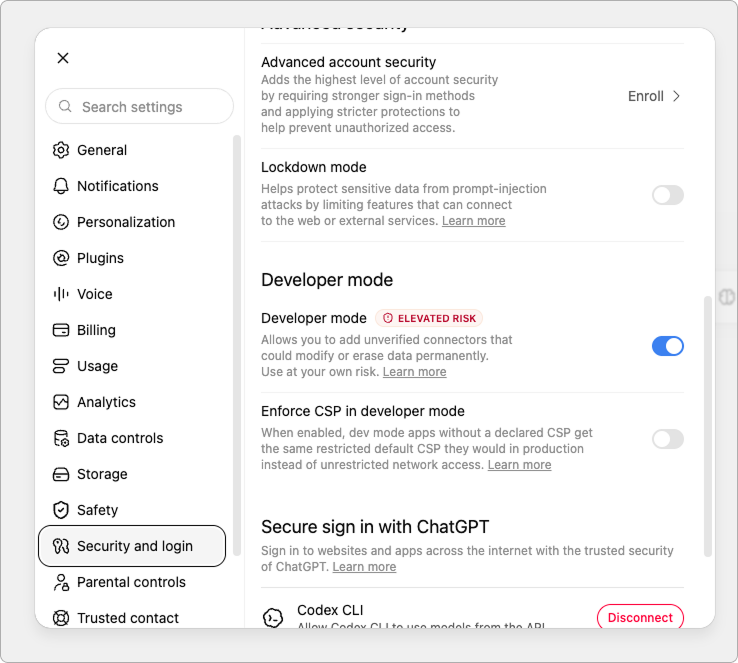
The ELEVATED RISK badge applies to unreviewed connectors in general — expected for a server of your own.
¶ 2. Create the plugin
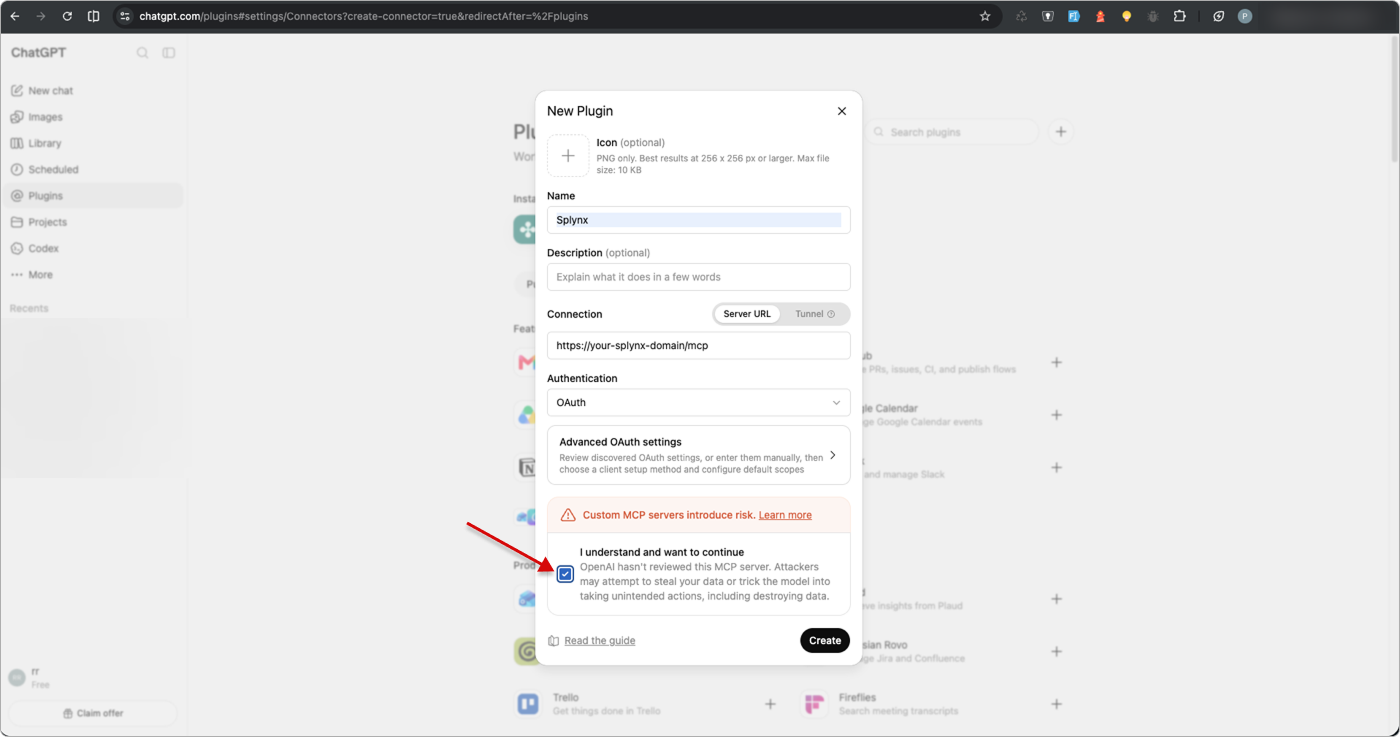
Settings → Plugins → + → New Plugin.
| Field | Value |
|---|---|
| Name | Anything — Splynx mcp in the screenshots |
| Connection | Server URL |
| URL | https://<domain>/mcp |
| Authentication | OAuth |
| Advanced OAuth settings | Leave alone — ChatGPT discovers the parameters from the server metadata and registers a client dynamically (RFC 7591, PKCE S256) |
| Scopes | Leave empty — the server declares no scopes_supported |
Tick I understand and want to continue, then click Create.
¶ 3. Authorize in Splynx
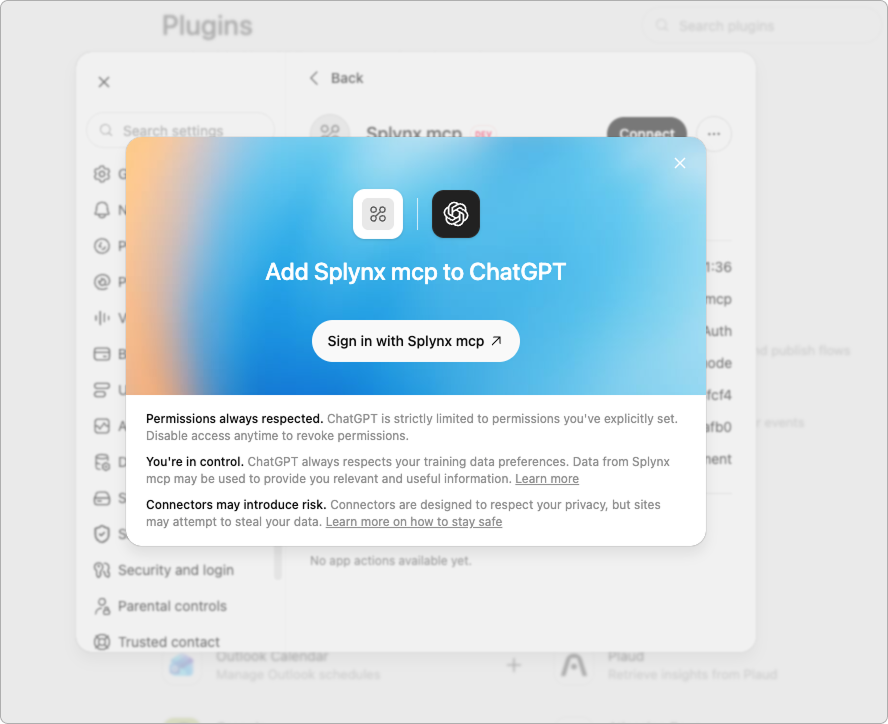
In the Add … to ChatGPT dialog, click Sign in with …. With no active admin session in that browser, the Splynx login opens first and the flow resumes on its own after you sign in.
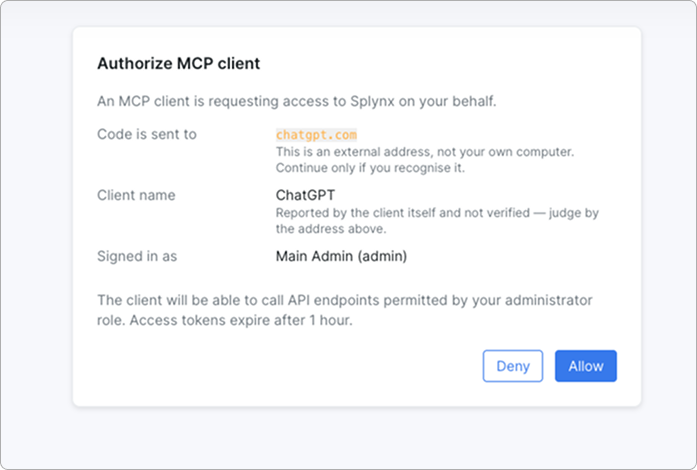
On the Authorize MCP client screen, check three lines before pressing Allow:
Code is sent to—chatgpt.comClient name—ChatGPT(reported by the client itself and not verified — trust the address above instead)Signed in as— the admin the connector will act as
¶ 4. Verify the result
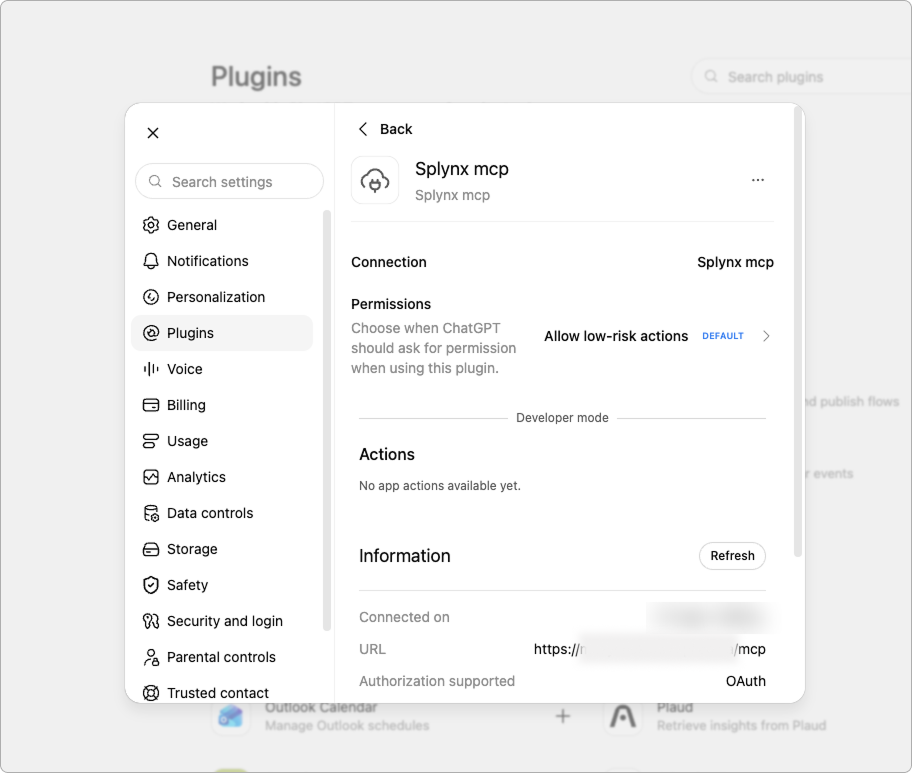
The plugin card should now show Connected on, a URL ending in /mcp, and Authorization supported — OAuth. The same card carries Permissions — when ChatGPT asks before calling a tool; the default is Allow low-risk actions.
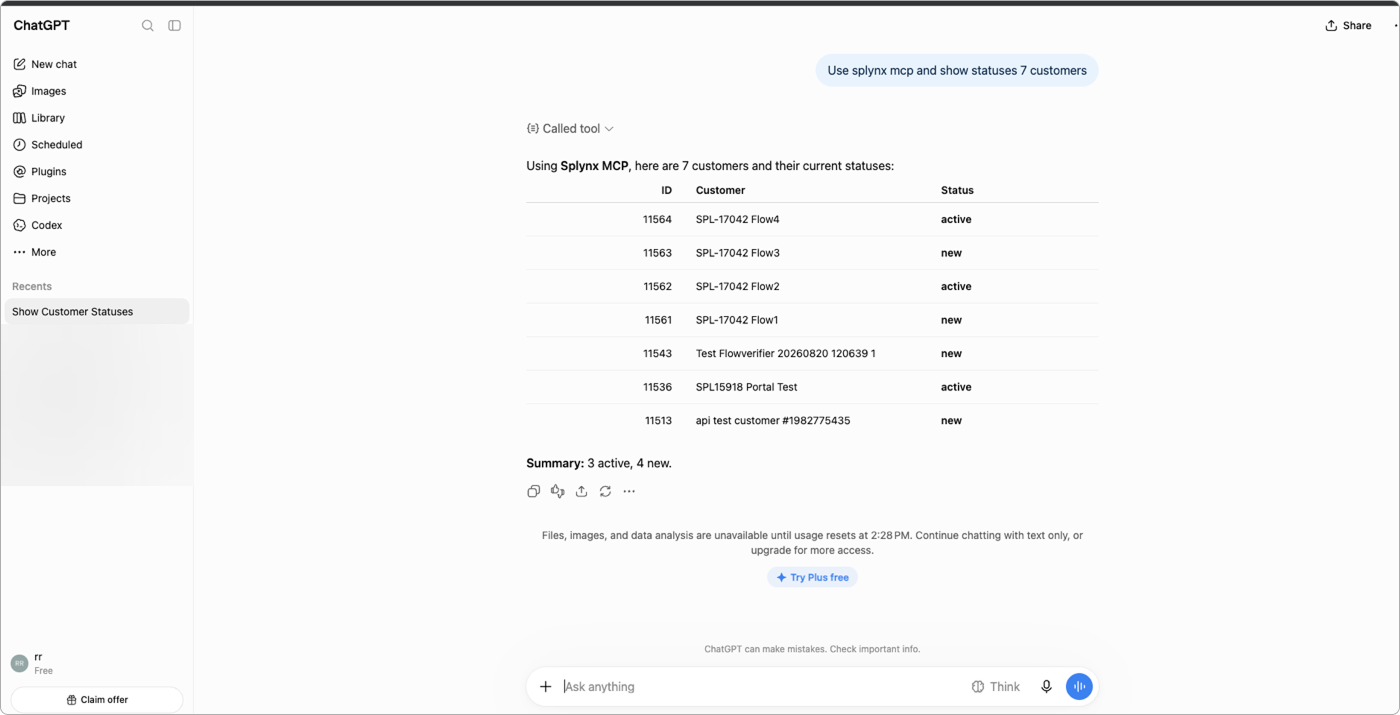
Then open a new chat and run a real request. Splynx exposes three meta-tools instead of five hundred endpoints, so a healthy call trace looks like this: search_tools → get_tool_schema → run_tool.
¶ Session and permissions
| Setting | Value |
|---|---|
| Access token | 1 hour, fixed lifetime |
| Refresh token | 30 days, single-use with rotation — no manual re-authorization needed |
| Client registration | 1 hour until the first successful grant, 30 days after that |
| Permissions | Exactly what the admin role allows; there is no separate scope mechanism |
| Logging | Admin calls land in logs_admins, API calls are flagged as AI traffic |
| Allowed origins | MCP server setting; empty means any origin — the self-hosted default |
¶ When it does not connect
¶ Authorization breaks at the redirect
The domain is not on HTTPS. The connector redirects through chatgpt.com, and Splynx accepts a non-loopback redirect_uri only over https and only on an exact match with the registered value.
¶ The consent screen opens blank
The public SPA is not built. The consent page lives in the public Vue 3 app — on a dev installation it has to be built along with the frontend.
¶ The client does not discover the server's OAuth settings
Check the metadata endpoints. Both must return JSON — not a login page, not a 404.
curl -s https://<domain>/.well-known/oauth-authorization-server
curl -s https://<domain>/.well-known/oauth-protected-resource/mcp¶ 403 Origin not allowed
The allowed-origins list is non-empty and your client is missing from it. Add the origin to the MCP server settings, or clear the list entirely to switch the filter off.
¶ A tool returns a permission error on a valid request
The admin role lacks access to that endpoint. The tool catalog is filtered by permissions, but individual calls still hit them — check the role of the admin the token was issued for.
¶ 401 after roughly an hour of work
Refresh-token rotation failed. Reconnect the integration, then confirm that /mcp/oauth/token is reachable without an admin session.
¶ Related pages
- Connect Splynx to Codex via MCP — the desktop-app path, with its own OAuth client and loopback redirect
The same server also goes into native MCP clients (Claude Desktop, Claude Code, Cursor) — but that is a separate integration with its own authorization, not a continuation of this one.