¶ Connect Splynx to Codex via MCP
The ChatGPT desktop app adds Splynx as an MCP server directly — no plugin, no developer mode. The tools are available in Codex mode; the app's ordinary chat does not pick this server up.
¶ Before you start
- The ChatGPT desktop app with a Settings → Plugins → MCPs section.
- MCP endpoint:
https://<domain>/mcp— with the/mcpsuffix, or the server will not come up. - A Splynx admin account. The token grants exactly the API endpoints that admin's role allows — there are no separate scopes.
- HTTPS. The app authorizes through a loopback redirect, so the «https only» rule for
redirect_uridoes not apply here — but the endpoint itself was never tested overhttp://, so plan on HTTPS.
Want Splynx in an ordinary conversation? That is the other path — see the separate guide Connect Splynx to ChatGPT via MCP.
Two paths, two authorizations. Each integration registers its own OAuth client in Splynx: the web connector as
ChatGPTwith a redirect tochatgpt.com, the desktop app asCodexwith a127.0.0.1loopback redirect. Clients, consents and tokens are separate, so connecting one path grants nothing to the other — and revoking one leaves the other untouched.
¶ Connecting
Three fields hold all the trouble — the transport type, the URL suffix, and a separate authorization button.
¶ 1. Open the MCP server form
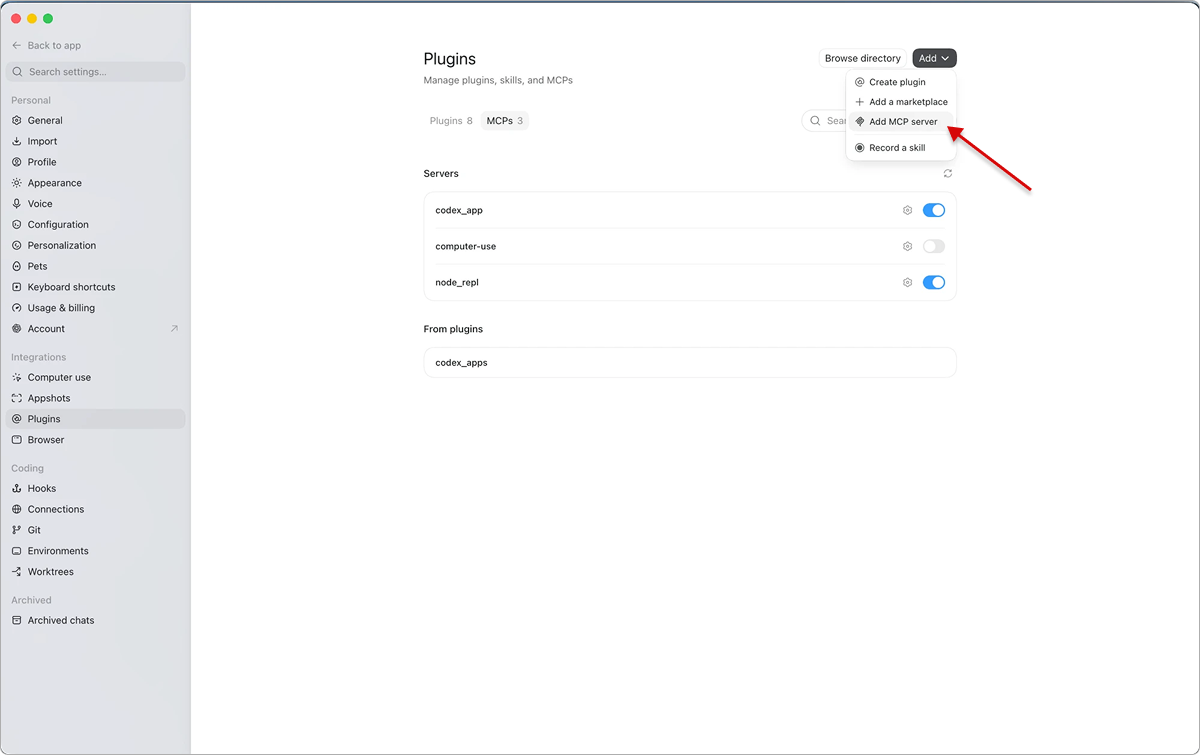
Settings → Plugins → MCPs tab → Add → Add MCP server.
Add MCP server, not Create plugin — a plugin is a different object and has nothing to do with an MCP server.
¶ 2. Fill in «Connect to a custom MCP»
| Field | Value |
|---|---|
| Name | splynx — anything; the server appears under this name in the list |
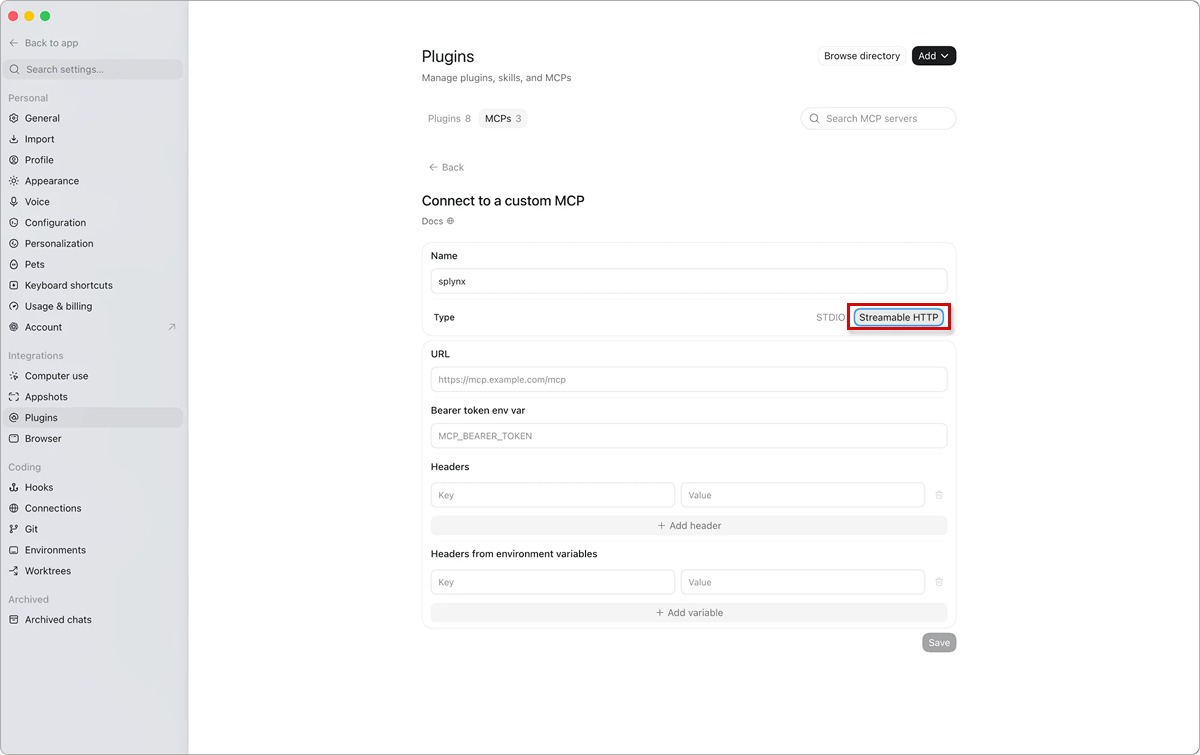
| Type | Streamable HTTP, not STDIO — Splynx serves MCP over HTTP, there is no local process to launch |
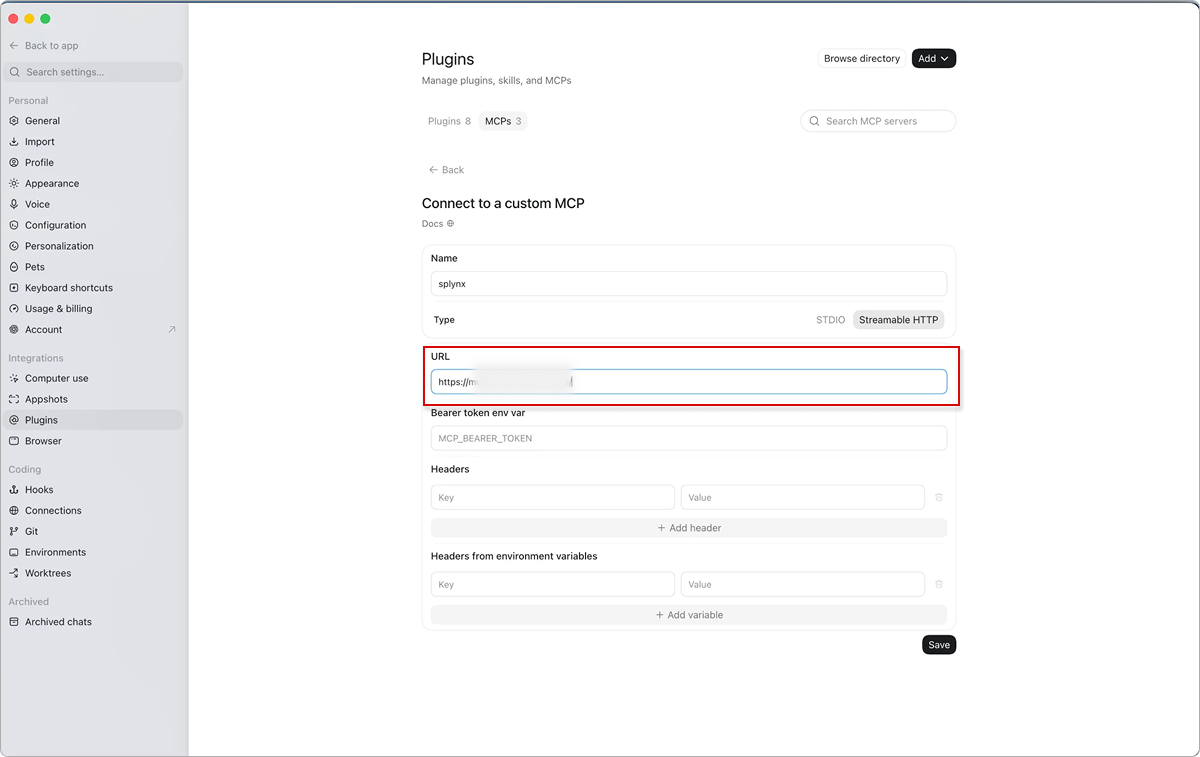
| URL | https://<domain>/mcp — the /mcp suffix is mandatory |
| Bearer token env var | Empty — authorization happens over OAuth in step 3 |
| Headers, Headers from environment variables | Empty |
The most common mistake is leaving just the domain in the URL. The client then hits the site root, gets the admin HTML instead of JSON-RPC, and the server never comes up.
The «Connect to a custom MCP» form with Type switched to Streamable HTTP:
The same form with an unfinished URL — «mcp» still has to follow the slash:
Then click Save.
¶ 3. Press Authenticate
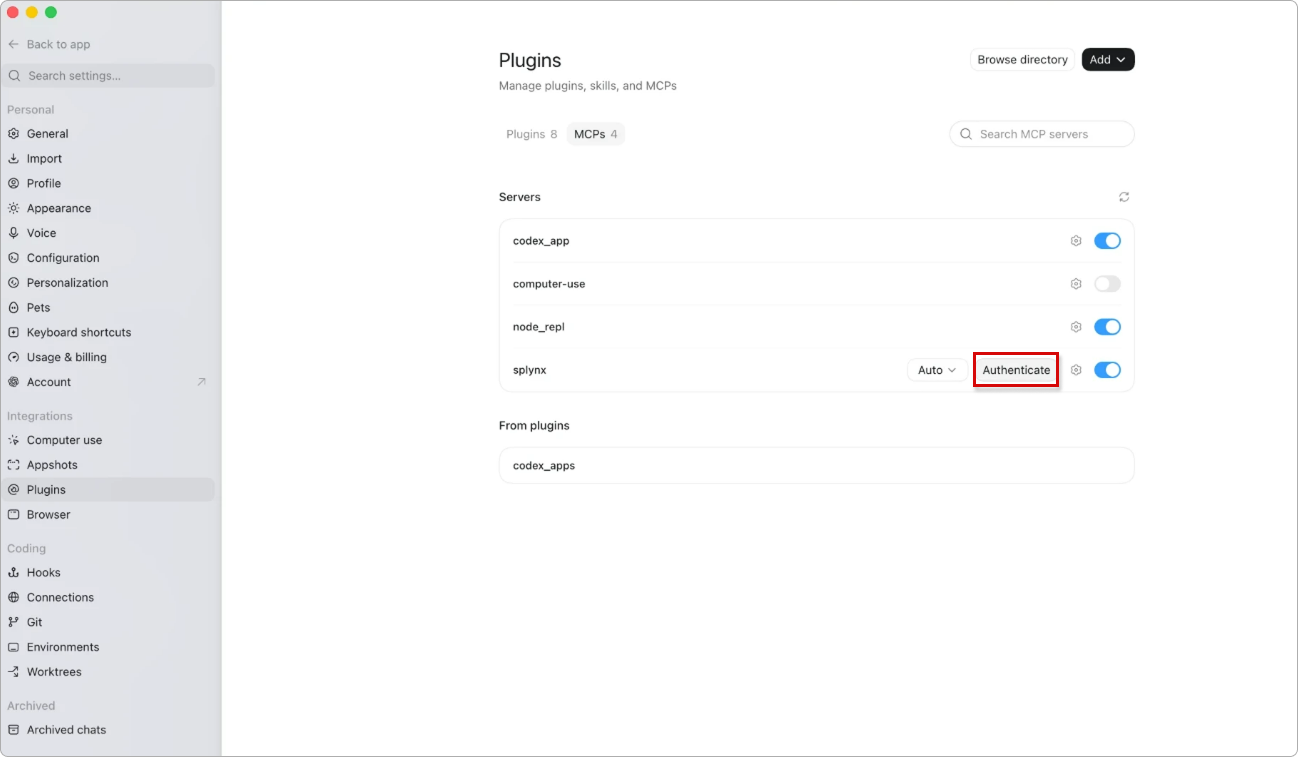
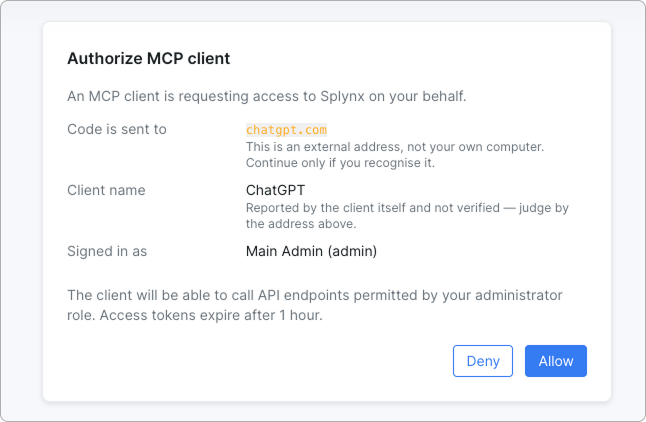
Once saved, the server shows up in the Servers list with an Authenticate button — a separate step, the app does not start authorization by itself. The button opens the browser with the Splynx Authorize MCP client consent; check there that Client name reads Codex and Signed in as is the right admin. After Allow the server toggle should light up.
¶ 4. Switch to Codex
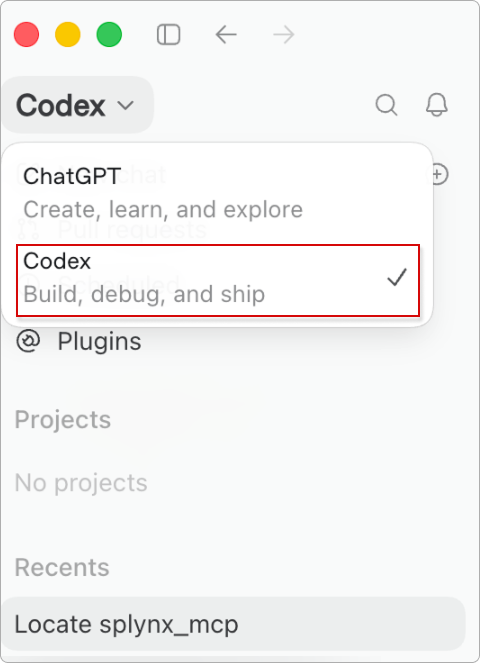
The mode switcher sits at the top left, above the chat list. In ChatGPT mode a server added this way is not visible; the tools only show up in Codex.
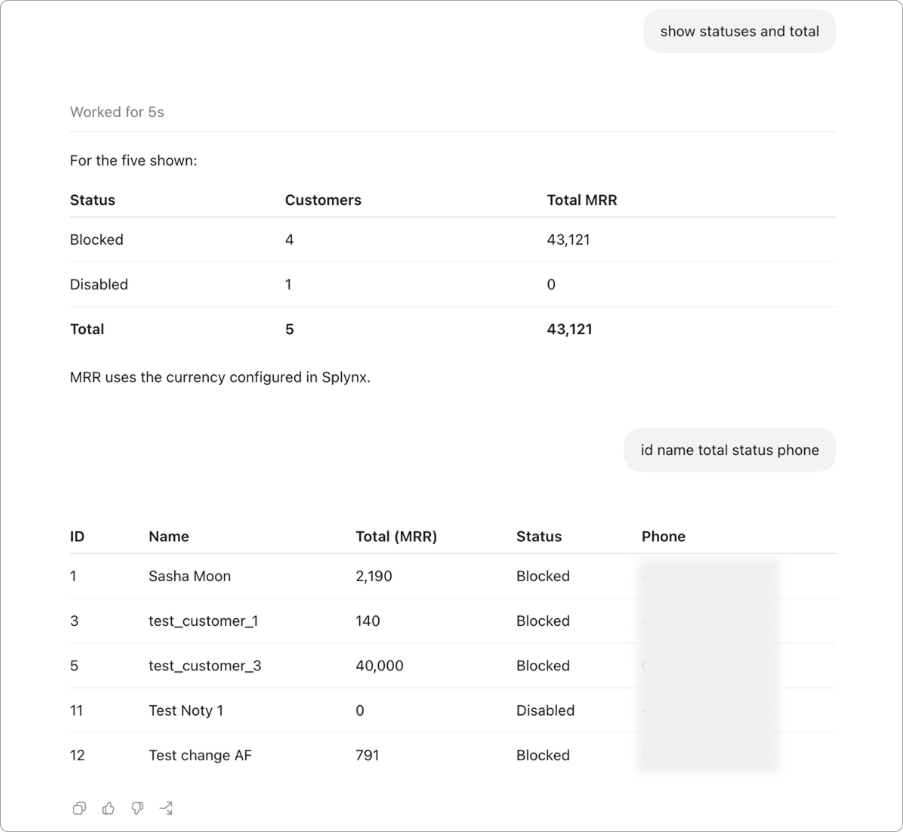
Live request: Codex pulls statuses, MRR and customer contacts — several follow-ups in the same session:
Observed behavior, not documentation. Checked by hand on the macOS app on 2026-08-27 and never verified against OpenAI's own docs, so a newer version of the app may well differ.
¶ Session and permissions
| Setting | Value |
|---|---|
| Access token | 1 hour, fixed lifetime |
| Refresh token | 30 days, single-use with rotation — no manual re-authorization needed |
| Client registration | 1 hour until the first successful grant, 30 days after that |
| Permissions | Exactly what the admin role allows; there is no separate scope mechanism |
| Logging | Admin calls land in logs_admins, API calls are flagged as AI traffic |
| Allowed origins | MCP server setting; empty means any origin — the self-hosted default |
¶ When it does not connect
¶ The server is saved, but no tools appear in the chat
You are in ChatGPT mode. The app's MCP servers work in Codex — switch the mode at the top left. For an ordinary conversation you need the web connector instead.
¶ The server does not come up right after Save
Usually the URL or the transport. The URL has to end in /mcp, and Type has to be Streamable HTTP: with STDIO the app looks for a local process and never reaches the server at all.
¶ Tools are there, but every call fails on authorization
Authenticate was never pressed. Saving the server and running OAuth are two separate steps; the button lives in the server's row in the Servers list.
¶ The client does not discover the server's OAuth settings
Check the metadata endpoints. Both must return JSON — not a login page, not a 404.
curl -s https://<domain>/.well-known/oauth-authorization-server
curl -s https://<domain>/.well-known/oauth-protected-resource/mcp¶ 403 Origin not allowed
The allowed-origins list is non-empty and your client is missing from it. Add the origin to the MCP server settings, or clear the list entirely to switch the filter off.
¶ A tool returns a permission error on a valid request
The admin role lacks access to that endpoint. The tool catalog is filtered by permissions, but individual calls still hit them — check the role of the admin the token was issued for.
¶ 401 after roughly an hour of work
Refresh-token rotation failed. Reconnect the integration, then confirm that /mcp/oauth/token is reachable without an admin session.
¶ Related pages
- Connect Splynx to ChatGPT via MCP — the web connector path, for ordinary conversations on chatgpt.com
Native MCP clients — Claude Desktop, Claude Code, Cursor — are added the same way: https://<domain>/mcp, HTTP transport, OAuth through a loopback redirect.