¶ Preferences
¶ Overview
This section allows you to configure how quotes interact with leads and how quote acceptance is handled.

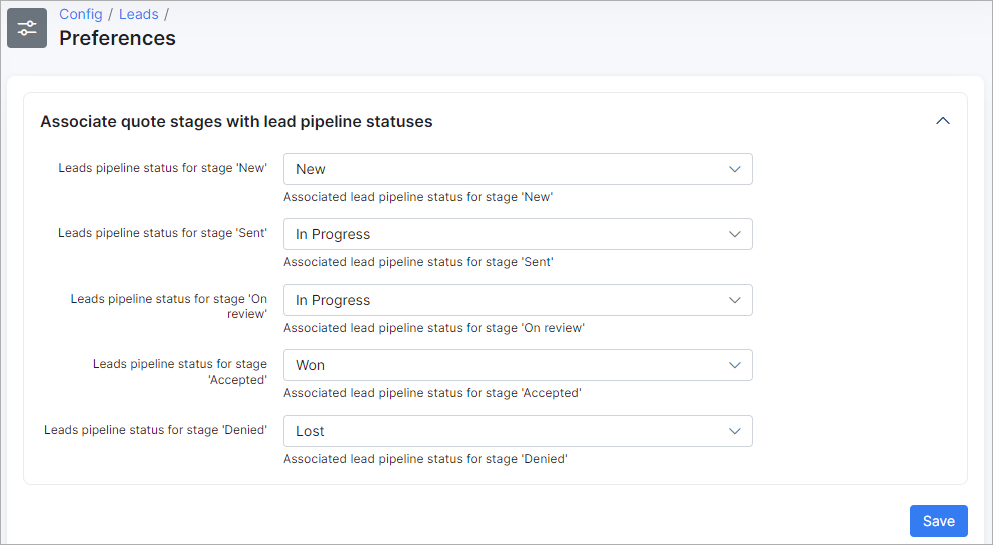
¶ Associating quote stages with lead pipeline statuses
Define how a lead’s pipeline status automatically updates as a quote moves through stages such as New, Sent, Accepted, or Denied. This ensures lead tracking stays aligned with the quote lifecycle.
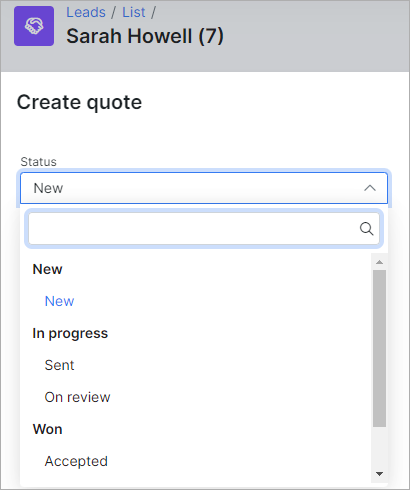
The result can be checked during the creation of a quote under Leads → List → Lead's name → Quotes:
¶ Quote accept settings
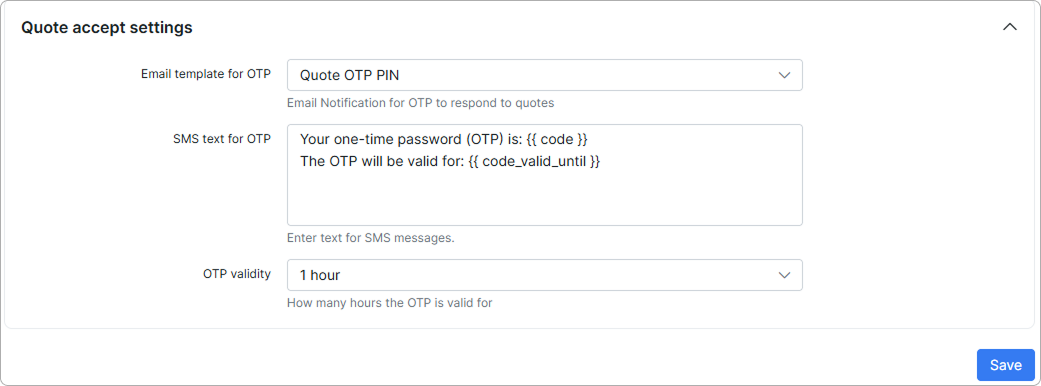
Set the email template and SMS text used to send one-time passwords (OTP) to customers, and define how long the OTP remains valid.
These settings control the security and messaging used when customers accept quotes.
-
Email template for OTP - choose the email notification sent for OTP quote acceptance.
-
SMS text for OTP - enter text for SMS messages.
-
OTP validity - define the number of hours the OTP is valid.