¶ Billing engine
¶ Overview
In Splynx we support both Recurring and Prepaid types of billing.
For tutorials and more information on each of these types and how to use them in Splynx, please follow each page respectively:
In this section, we describe the difference between Recurring and Prepaid billing of a customer.
¶ Financial dashboard
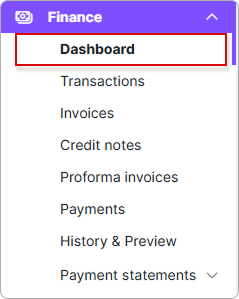
The financial dashboard at Finance → Dashboard gives you a quick overview of the financial status of your system: totals for the recent periods, a set of graphs, and a breakdown of overdue invoices. Every graph can be filtered by Partners and Locations, and each has its own period buttons.
¶ Quick totals
The top row shows the totals for the current month. Each card displays the amount and the number of records, and opens the corresponding list when you click it:
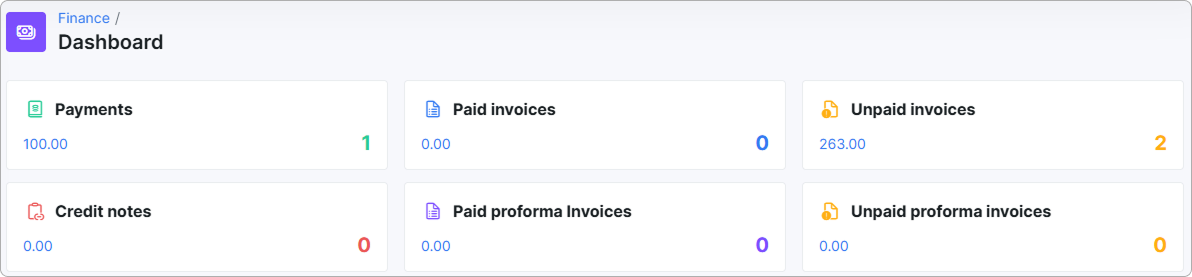
- Payments
- Paid invoices
- Unpaid invoices
- Credit notes
- Paid proforma Invoices
- Unpaid proforma invoices
¶ Totals per period
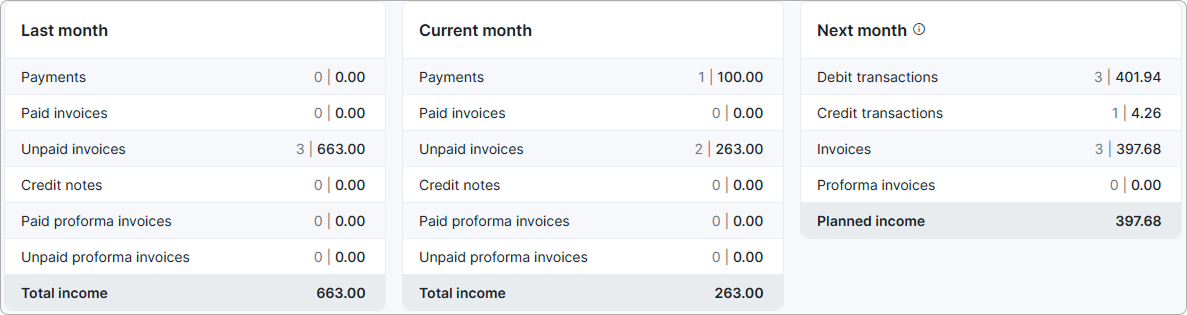
Below the cards, the same data is grouped into three panels:
- Last month and Current month — payments, paid and unpaid invoices, credit notes, paid and unpaid proforma invoices, and the resulting Total income.
- Next month — what is already scheduled for the next billing period: Debit transactions, Credit transactions, Invoices, Proforma invoices, and the resulting Planned income.
¶ Graphs
The dashboard includes the following mini-reports in the form of graphs. All of them share the Partners and Locations filters, and each graph has its own period buttons above it, so you can change the range of one graph without affecting the others. Hover over any bar, line point, or pie slice to see the exact value behind it.
¶ Invoicing for period (VAT included)
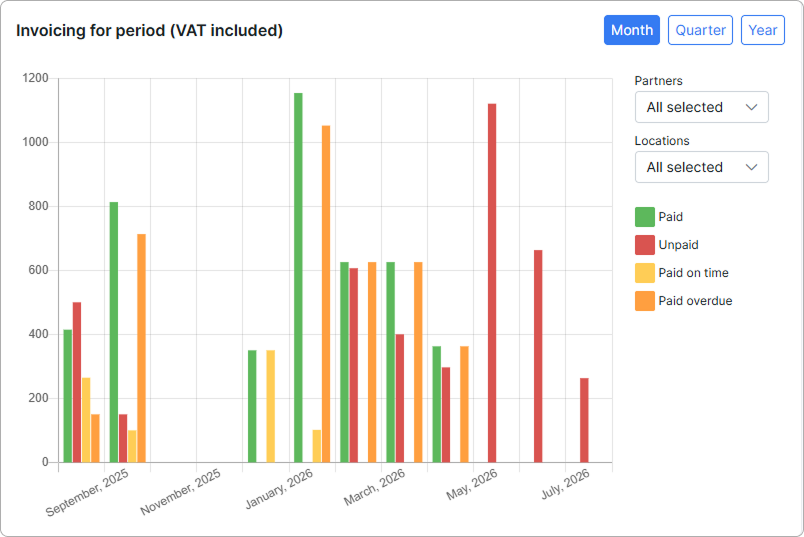
Shows how much you invoiced in each period of the selected range, with VAT included in the amounts. The invoiced total is split into Paid, Unpaid, Paid on time and Paid overdue, so you can see at a glance not only how much was billed, but how much of it actually came back and whether customers paid within the due date. Use it to spot periods where invoicing grew but collection did not.
¶ Payments for period (VAT included)
Shows the payments received in each period of the selected range, split by payment method — Cash, Bank transfer, Credit card, and any payment gateways installed on your system. This makes it easy to see which channels your customers actually use and how that mix changes over time.
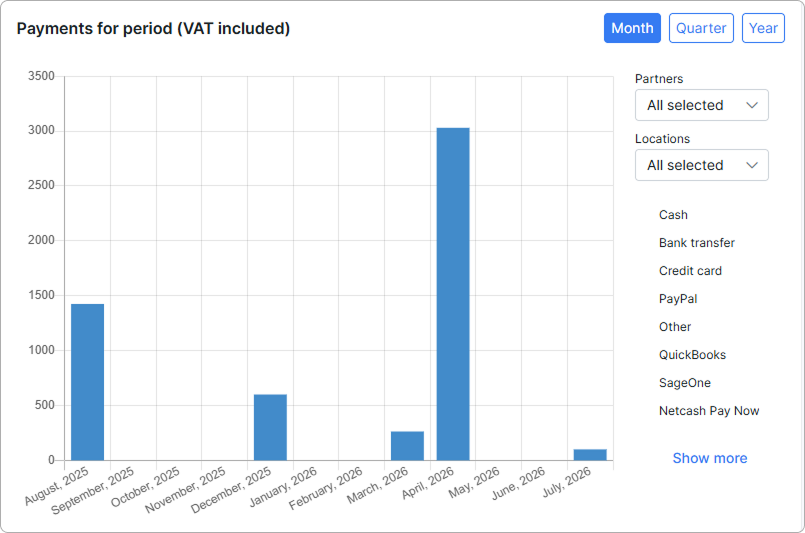
Click Show more to expand the full list of payment methods in the legend.
¶ Monthly recurring revenue
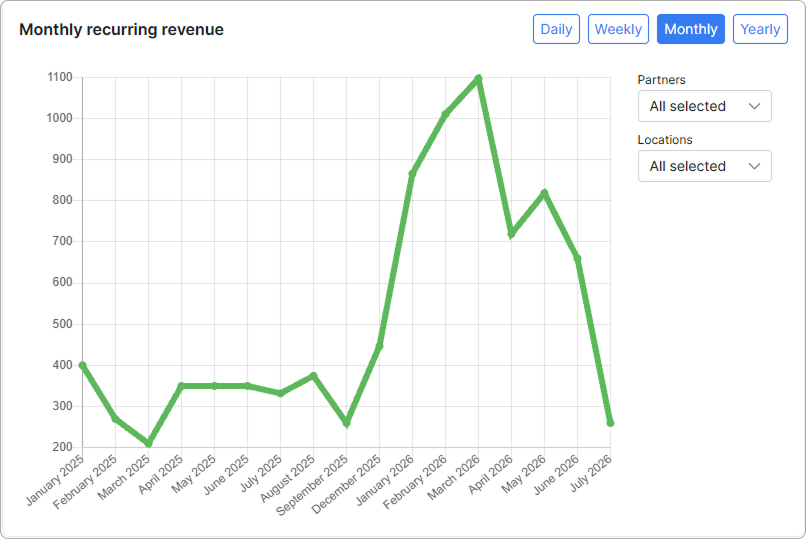
Shows the monthly recurring revenue (MRR) — the predictable income generated by your customers' active recurring services, month by month. One-off charges are not part of this figure, so the trend line reflects the stable base of your business: it rises when you add services or raise prices, and falls when customers cancel or downgrade.
¶ Average revenue per user
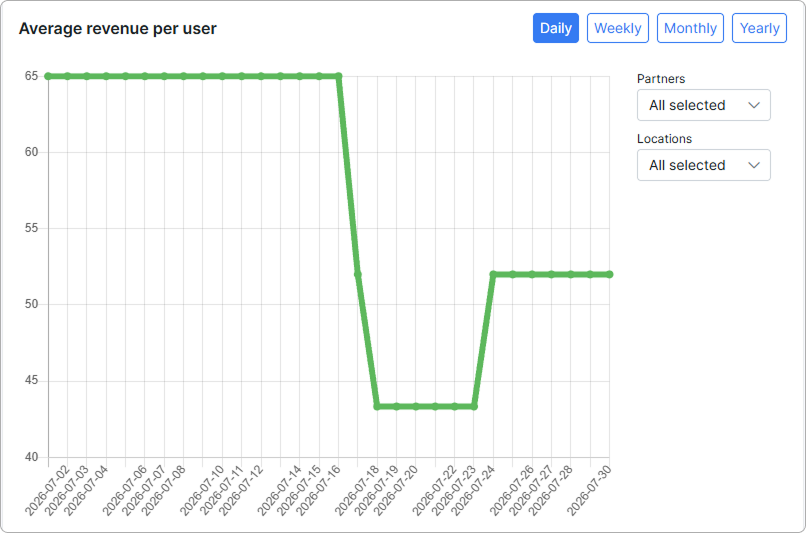
Shows the average revenue per user (ARPU) — the recurring revenue divided by the number of customers for the same period. It tells you how much an average customer is worth per month, which is useful when you compare growth in customer count with growth in income: a rising customer base with a falling ARPU means you are growing on cheaper plans.
¶ Top 10 payers
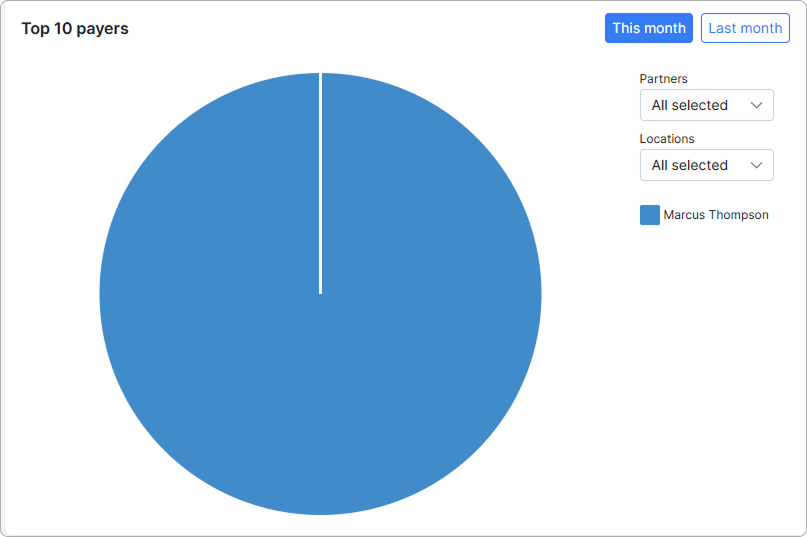
Shows the ten customers who paid the most in the selected period, as a pie chart, with each slice sized by the total amount that customer paid. Use it to see how much of your income depends on a small group of customers.
¶ Daily payments
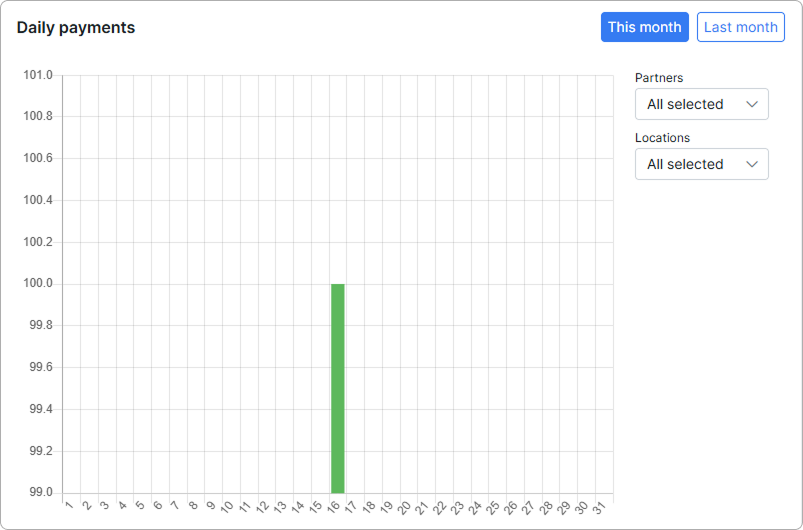
Shows the payments received on each day of the selected month, one bar per day. It is the most detailed view of your cash flow and is handy for checking activity around invoice due dates or reconciling a specific day's takings.
¶ Top 10 debtors
The ten customers with the largest outstanding debt, as a pie chart.
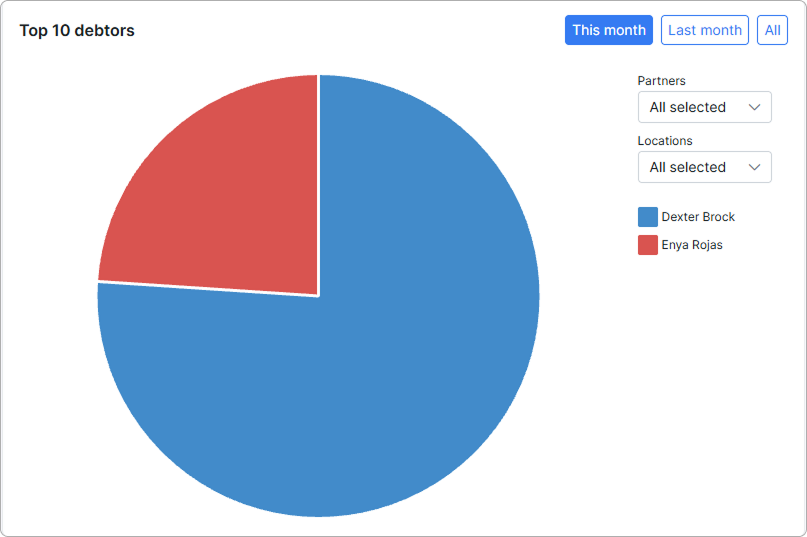
The Top 10 debtors graph lists the ten customers with the largest outstanding debt.
The amount shown for each customer is their Due amount — the sum still unpaid across the customer's open and partially paid invoices. It is not the invoice total. For example, a customer with an invoice of 100.00 of which 80.00 is already paid appears in the graph with 20.00, so the value matches the debt you see in the customer's finances.
Customers are ranked by this outstanding Due amount, from the largest to the smallest.
Fully paid invoices (Due = 0) affect neither the amount nor the ranking — a customer with no unpaid balance does not appear in the graph at all. (v6.0)
¶ Overdue invoices
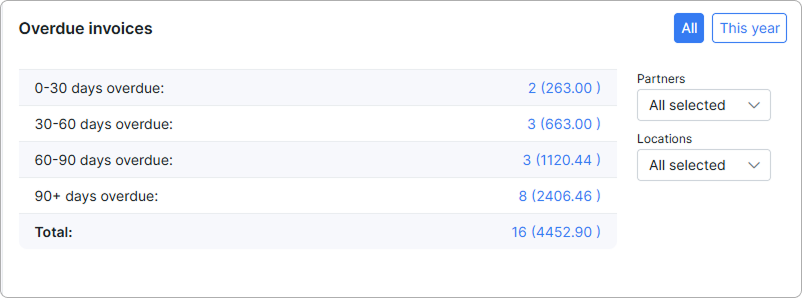
Next to the graphs, a separate table groups all overdue invoices by how long they have been overdue: 0-30 days, 30-60 days, 60-90 days and 90+ days, plus the Total. Each row shows the number of invoices and their total amount, and opens the matching list of invoices when you click it. Use the All and This year buttons to switch the period.