¶ Document signing
¶ Overview
Splynx lets customers electronically sign contracts and accept quotes. Every signing event is recorded in a signing audit trail (the IP address, browser User-Agent, customer name, contact channel, consent log, and a cryptographic hash of the signed document).
Document signing is the central place where you control how signed PDFs are timestamped, how long signing links and one-time passwords stay valid, and how long signing data is stored before Splynx automatically anonymizes or purges it — helping you meet GDPR data-minimization requirements.
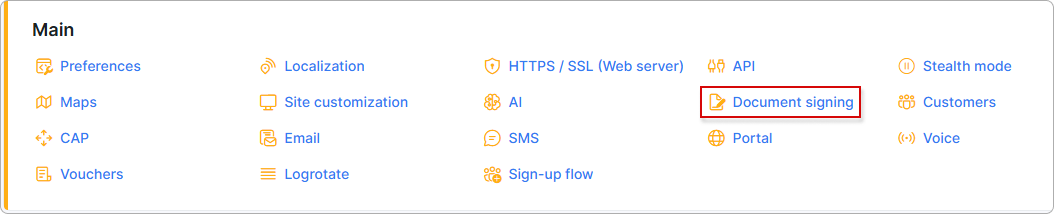
To open these settings, go to Config → Main → Document signing:
¶ PDF signing
The PDF signing section controls whether signed contract PDFs include a trusted timestamp.
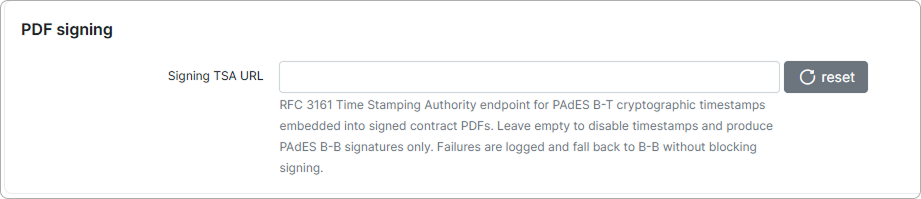
- Signing TSA URL — the endpoint of an RFC 3161 Time Stamping Authority (TSA), an external service that issues trusted timestamps. When you enter a URL, Splynx embeds a cryptographic timestamp into every signed contract PDF (a PAdES B-T signature), proving the moment the document was signed independently of the signer's own clock. Leave the field empty to disable timestamps and produce a basic signature only (PAdES B-B). Use the
resetbutton to clear the field back to its default (empty).
If the Time Stamping Authority cannot be reached, Splynx logs the failure and still completes signing with a basic PAdES B-B signature — a TSA outage never blocks a customer from signing.
¶ Signing link validity
When a contract or quote is sent for signing, the customer receives a link that opens the signing page. The Signing link validity section sets how long those links stay active before they expire. After expiry the customer must request a new link.
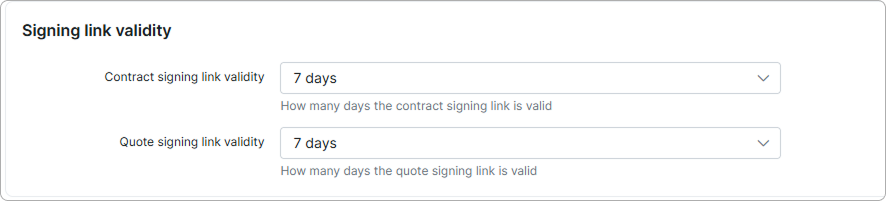
- Contract signing link validity — how many days a contract signing link remains valid. The default is
7 days. - Quote signing link validity — how many days a quote signing link remains valid. The default is
7 days.
¶ Signing OTP
To confirm the signer's identity, Splynx can send a one-time password (OTP) — a short verification code the customer must enter before signing a contract or accepting a quote. The Signing OTP section sets how long each code is valid and which notification templates deliver it by email and SMS.
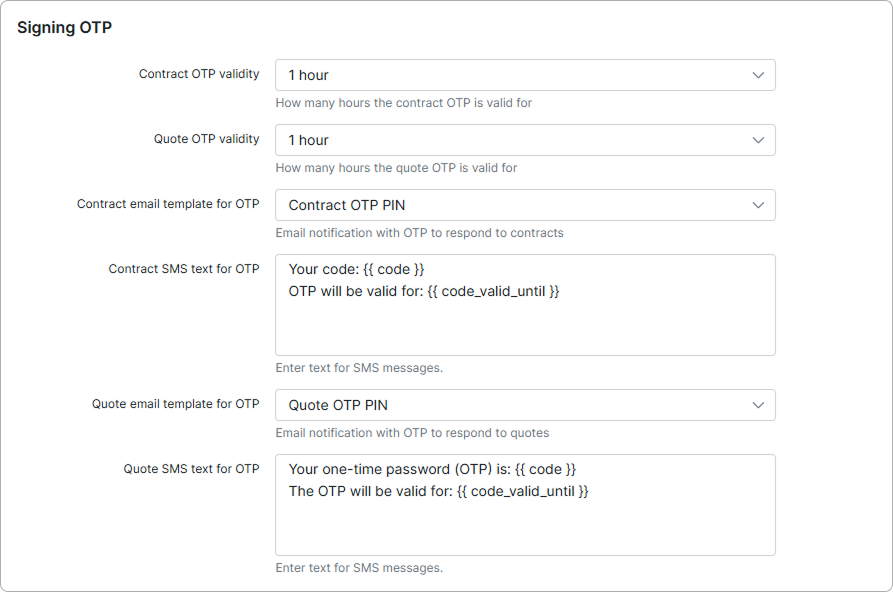
- Contract OTP validity — how many hours a contract OTP can be used before it expires. The default is
1 hour. - Quote OTP validity — how many hours a quote OTP can be used before it expires. The default is
1 hour. - Contract email template for OTP — the email notification template used to send the OTP for contracts (for example, Contract OTP PIN).
- Contract SMS text for OTP — the SMS message text used to send the OTP for contracts.
- Quote email template for OTP — the email notification template used to send the OTP for quotes (for example, Quote OTP PIN).
- Quote SMS text for OTP — the SMS message text used to send the OTP for quotes.
The SMS texts support template variables: {{ code }} inserts the generated one-time password, and {{ code_valid_until }} inserts the time until which the code stays valid. For example:
Your code: {{ code }}
OTP will be valid for: {{ code_valid_until }}
A document template can also be presented for signing during the Sign-up flow. When Sign contract is enabled on the Checkout tab, the customer signs the selected document template before completing registration.
¶ Retention
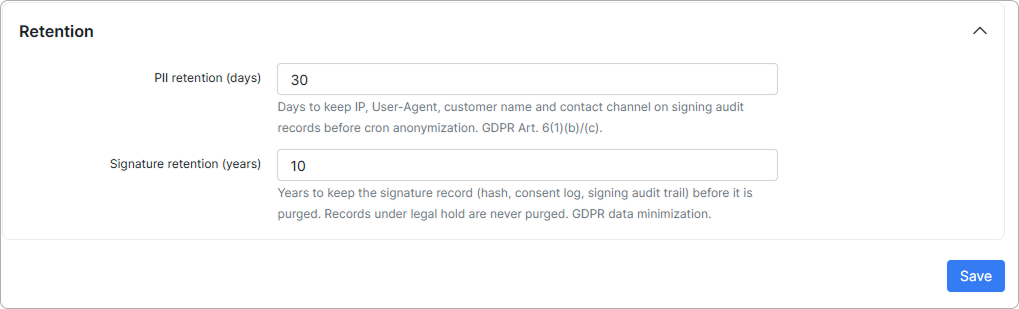
The Retention section defines two independent retention periods — one for the personal data (PII) attached to each signing event, and one for the signature record itself. After you change a value, click Save to apply it.
-
PII retention (days) — the number of days Splynx keeps PII (Personally Identifiable Information) — the IP address, User-Agent, customer name, and contact channel — on signing audit records. Once this period passes, a cron job anonymizes these records by removing the personal fields while keeping the rest of the audit trail. The default is
30days. -
Signature retention (years) — the number of years Splynx keeps the full signature record (the document hash, consent log, and signing audit trail) before it is purged. The default is
10years.
Records under a legal hold are never purged, regardless of the retention periods set here. A legal hold preserves a signature record indefinitely until the hold is lifted.
Setting either value too low can remove evidence you may need to prove a contract was validly signed. Choose retention periods that match your local legal and regulatory requirements before lowering the defaults.